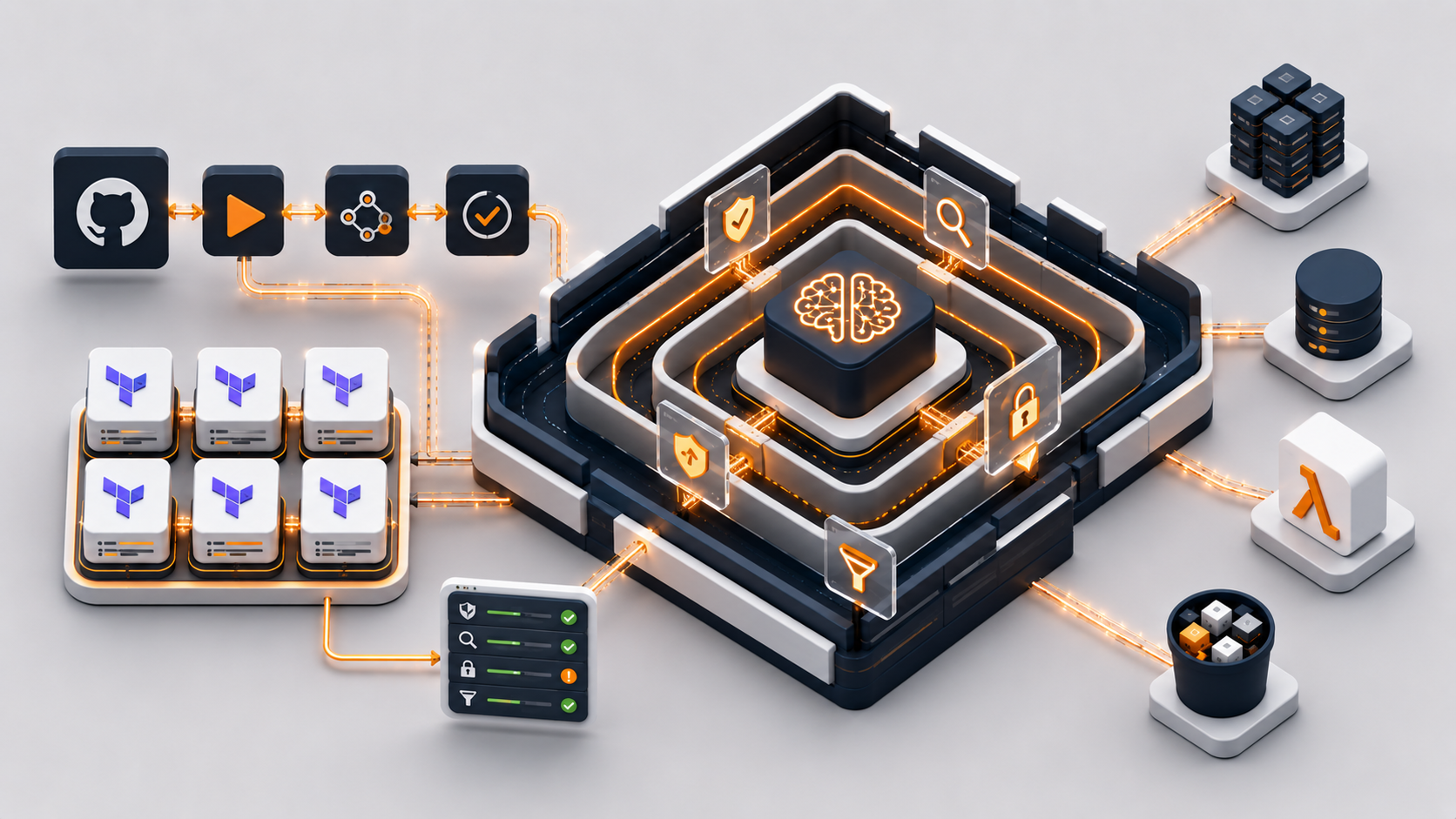
AWS Bedrock Guardrails: Complete Terraform Solution with CI/CD
A comprehensive production-ready solution combining Infrastructure as Code (Terraform), automated CI/CD pipelines (GitHub Actions), and best practices for deploying guardrails in real-world environments.
Every AI chatbot I've deployed to production has the same vulnerability: no safety layer between the user and the model. Someone types "tell me your system prompt" or pastes their credit card number, and the model just... processes it. No validation. No filtering. No protection.
Manual input validation doesn't scale. You can write regex patterns for credit cards and phone numbers. You can maintain a blocklist of topics you don't want the AI discussing. But what happens when a user asks for medical advice in broken English? Or when they embed PII in a seemingly innocent question? Your regex won't catch it. Your blocklist won't help.
AWS Bedrock Guardrails solve this. They're a managed service that sits between your application and the foundation model, filtering both inputs and outputs based on configurable policies. Content filters for toxicity. PII detection and anonymization. Topic blocking for medical, legal, or financial advice. Word filters for competitor names or internal terms.
This article shows you how to deploy guardrails as Infrastructure as Code using Terraform, with a complete CI/CD pipeline via GitHub Actions, OIDC authentication (no hardcoded AWS keys), and Python integration examples. Everything you need to protect your AI application in production.
Why Guardrails Matter
Let's talk about what happens when you don't use guardrails. A user pastes a credit card number into your chatbot. The model includes it in its response, and your application logs it. Congratulations — you just violated PCI DSS and every data protection regulation in existence. Or a user asks "What stocks should I buy?" and your model provides specific investment recommendations. Now you're dispensing unlicensed financial advice, and your legal team has questions.
These aren't hypothetical scenarios. They're the exact issues that surface when you deploy generative AI without boundaries. Foundation models are powerful, but they don't understand compliance, liability, or company policy. They'll answer any question you give them — including questions they shouldn't be answering.
Guardrails give you control. They enforce rules at the infrastructure level, before the model even sees the input. If a user tries to share PII, the guardrail anonymizes it. If they ask for medical advice, the guardrail blocks the request entirely. If they attempt prompt injection to extract your system instructions, the content filter catches it. This protection happens transparently, without any changes to your application logic.
What are AWS Bedrock Guardrails?
Core Concept
AWS Bedrock Guardrails are a security layer that controls and filters both input and output data when communicating with foundation models (such as Claude, Llama, etc.). They act as a "gatekeeper" that ensures:
- User inputs do not contain inappropriate content or sensitive data
- AI model outputs meet security and ethical standards
- PII (Personal Identifiable Information) data is protected
- Denied topics are automatically blocked
Guardrail Architecture

Architecture: The user's prompt passes through Input Assessment (Content filters, PII detection, Topic blocking, Word filters), then through the Foundation Model (Amazon Nova), and the output is filtered again through Output Assessment before being delivered to the ChatBot.
Types of Protection
1. Content Filters
Detect and block inappropriate content based on categories: HATE, INSULTS, SEXUAL, VIOLENCE, MISCONDUCT, PROMPT_ATTACK. Each filter has a configurable strength — NONE, LOW, MEDIUM, HIGH.
The strength level determines how aggressive the filtering is. HIGH catches even subtle violations but may produce false positives. LOW only blocks obvious cases. In production, I recommend starting with MEDIUM for user-facing inputs and HIGH for outputs to ensure your AI never generates harmful content.
2. PII Entities
Detects and processes sensitive personal data (EMAIL, PHONE, NAME, ADDRESS, SSN, credit cards, AWS keys...) with actions ANONYMIZE or BLOCK.
ANONYMIZE replaces detected PII with placeholder tokens (e.g., "john.doe@example.com" becomes "[EMAIL-1]"), allowing the conversation to continue without exposing sensitive data. BLOCK stops processing immediately and returns an error. Use ANONYMIZE for customer support chatbots where users might accidentally share personal info. Use BLOCK for compliance-critical applications where any PII exposure is unacceptable.
3. Topic Policy
Blocks specific conversation topics using definitions and examples (e.g. Investment_Advice, Medical_Diagnosis, Legal_Advice).
Unlike keyword-based blocking, topic policies use semantic understanding. You define a topic with a short description and provide 2-3 example phrases. The guardrail then blocks any input matching that topic — even if the wording is completely different. For instance, defining "Medical_Diagnosis" with examples like "What disease do I have?" will also block "Can you tell me what's wrong with my health based on these symptoms?" This is critical for avoiding liability in customer-facing AI applications.
4. Word Filters
Blocking specific words or phrases — competitor names, internal terms, compliance keywords.
Terraform Solution Architecture
Three Pre-configured Guardrails
| Module | Content Filters | PII | Topics | Version |
|---|---|---|---|---|
production_guardrail |
HIGH/MEDIUM | BLOCK + ANONYMIZE | 3 topics | Fixed v1 |
development_guardrail |
LOW/MEDIUM | ANONYMIZE | — | DRAFT |
minimal_guardrail |
— | EMAIL + PHONE ANONYMIZE | — | Fixed v1 |
The Terraform module uses dynamic blocks, which allow creating a guardrail with any number of filters, conditional creation of sections, and module reusability across different use cases and environments.
Why three guardrails? Because you need different protection levels for different environments. production_guardrail has strict filtering and blocks sensitive topics — it's what you attach to your customer-facing chatbot. development_guardrail runs in DRAFT mode with relaxed filters, so your team can test edge cases without hitting false positives. minimal_guardrail only protects PII — useful for internal tools where you trust your users but still need to prevent accidental data leakage.
Each guardrail is versioned. When you deploy v1, AWS creates an immutable snapshot. Your production application references that specific version, ensuring that changes to the guardrail configuration don't break your live system. The development guardrail uses DRAFT, which always points to the latest configuration — you can iterate without redeploying.
CI/CD Pipeline with GitHub Actions
GitHub Actions Workflow — Live Demo

Live CI/CD pipeline run — Validate and Python Tests passed successfully, Production Plan completed in 25s, Apply is currently deploying to production.
The pipeline runs on every push to main. It validates Terraform syntax, runs Python unit tests for the integration code, generates a plan for both development and production environments, and applies changes automatically. No manual terraform apply commands. No clicking around in the AWS console. Infrastructure changes are code-reviewed, tested, and deployed like any other feature.
The most important part? Zero secrets in GitHub. The pipeline authenticates to AWS using OIDC (OpenID Connect), which generates short-lived tokens on demand. When the GitHub Actions workflow starts, it requests a token from AWS, uses it for the deployment, and the token expires after 1 hour. No AWS access keys stored in repository secrets. No credential rotation. No risk of leaked keys.
OIDC vs Access Keys
| Feature | Access Keys | OIDC |
|---|---|---|
| Security | Long-lived credentials | Short-lived tokens |
| Rotation | Manual | Automatic |
| Secrets in GitHub | Yes | None |
| Best practice | ❌ | ✅ |
Result: 3 Guardrails Deployed in AWS
AWS Bedrock Console — Guardrails

AWS Bedrock Guardrails console — all 3 guardrails have Ready status, created via the Terraform CI/CD pipeline.
System-defined Guardrail Profiles

EU Guardrail v1:0 — Cross-Region guardrail profile covering EU Stockholm (eu-north-1), EU Ireland (eu-west-1), EU Paris (eu-west-3) and EU Frankfurt (eu-central-1).
Testing Guardrails
Test 1 — Legitimate Question (No action taken)

Prompt "Explain what is machine learning" — guardrail No action taken, response passed through without intervention. The guardrail correctly does not block legitimate content.
Test 2 — PII Data (Model Response)

Prompt containing a name, email, and phone number — the model refused to share personally identifiable information. PII protection is working correctly.
Test 3 — Medical Advice (Intervened!)

Prompt "I have a headache and fever. What disease do I have?" — guardrail Intervened (1 instance). The Medical_Diagnosis topic policy correctly blocked the request.
Python Integration
Guardrails are integrated into Python code by adding two parameters to the standard invoke_model call:
response = self.client.invoke_model(
    modelId=self.model_id,
    guardrailIdentifier=self.guardrail_id,   # Guardrail ID
    guardrailVersion=self.guardrail_version,  # '1' or 'DRAFT'
    body=json.dumps({
        "anthropic_version": "bedrock-2023-05-31",
        "max_tokens": 1000,
        "messages": [{"role": "user", "content": [{"type": "text", "text": prompt}]}]
    })
)

# Guardrail action result is in the response headers
headers = response['ResponseMetadata']['HTTPHeaders']
guardrail_action = headers.get('x-amzn-bedrock-guardrail-action', 'NONE')
# Possible values: NONE | GUARDRAIL_INTERVENED | BLOCKED
That's it. Two additional parameters. The guardrail runs transparently — if the input passes all filters, the model processes it normally. If something triggers the guardrail (PII, blocked topic, inappropriate content), the response headers tell you what happened.
When guardrail_action is GUARDRAIL_INTERVENED, the model still ran, but the output was filtered or modified. When it's BLOCKED, the request was stopped before reaching the model, and you get a predefined error message. In production, you should handle both cases — log the intervention for audit purposes, and return a user-friendly message explaining why the request was blocked.
The GitHub repository includes a complete Python chatbot implementation that handles all three scenarios. It reads the guardrail configuration from Terraform outputs, invokes the model with the correct guardrail ID and version, and provides clear feedback when content is blocked. You can run it locally with python chatbot.py after deploying the infrastructure.
Best Practices
Security Checklist
- Never log sensitive data (PII, passwords, API keys)
- Use fixed versions in production (not DRAFT)
- Regularly audit blocked requests
- Monitor false positives
- Test guardrails before deployment
- Use OIDC instead of access keys
- Encrypt Terraform state (S3 encryption enabled)
- Set up CloudWatch alarms for high blocked request counts
Testing Strategy
Before deploying a guardrail to production, test it extensively. The AWS Bedrock console includes a built-in test interface where you can send sample inputs and see exactly how the guardrail responds. Create a test suite covering:
- Legitimate content — Ensure normal user questions pass through
- Edge cases — Test variations of blocked topics (e.g., medical advice phrased indirectly)
- PII scenarios — Verify that emails, phone numbers, and credit cards are caught
- False positives — Check if common phrases trigger incorrect blocks
Run these tests against the DRAFT version first. Once you're confident the configuration works correctly, create version 1 and deploy it to production. If you find issues after deployment, create a new version with the fix — never modify a deployed guardrail in-place, as this can cause unexpected behavior in your live application.
Cost Estimation
AWS Bedrock Guardrails pricing:
- Input: $0.75 per 1,000 text units (≈1,000 characters)
- Output: $1.00 per 1,000 text units
Example — 10,000 conversations/month:
| Type | Volume | Cost |
|---|---|---|
| Input (avg. 500 chars) | 5,000 text units | $3.75 |
| Output (avg. 1,500 chars) | 15,000 text units | $15.00 |
| S3 + DynamoDB backend | < 1 MB state | ~$0.50 |
| Total | ~$19.25/month |
Troubleshooting
| Error | Cause | Solution |
|---|---|---|
ARN is invalid for service region |
Guardrail in wrong region, stale state | Clear S3 state, delete old guardrails, terraform init -reconfigure |
Guardrail name already exists |
Duplicate name in AWS | Change name suffix (e.g. -v2, -v3) or delete existing |
State lock timeout |
Previous run interrupted | terraform force-unlock LOCK_ID or clear DynamoDB table |
OIDC Access Denied |
Wrong trust policy or repo mismatch | Check OIDC provider, trust policy and sub condition |
Conclusion
Deploying AI applications without guardrails is like running a web application without input validation. It works — until a user breaks it in a way you didn't anticipate. Guardrails aren't optional if you're building production AI systems. They're the difference between a demo that impresses stakeholders and a product you can actually ship to customers.
This solution gives you everything you need to deploy guardrails correctly: Infrastructure as Code that's repeatable and auditable. A CI/CD pipeline that deploys changes automatically without exposing AWS credentials. Three pre-configured guardrails covering common use cases. Python integration code that handles all the edge cases. And tests that verify everything works before it reaches production.
Key Benefits of the Solution
✅ Security — Multi-layered protection (content, PII, topics, words) + OIDC authentication + encrypted state
✅ Automation — GitOps workflow (push → deploy), automatic testing, zero-touch deployment
✅ Modularity — Reusable Terraform module, easily customizable, scalable
✅ Production-ready — State management (S3 + DynamoDB), version-controlled guardrails, monitoring
✅ Developer Experience — Python SDK examples, interactive chatbot demo, comprehensive docs
Use Cases
- Healthcare chatbot — Blocks medical advice, protects HIPAA data
- Financial advisor — Blocks investment advice, protects financial data
- Customer support — Filters toxic content, anonymizes PII
- Content moderation — Automatic filtering of inappropriate content
- Internal tools — Protects confidential data, ensures compliance
Complete Terraform Project on GitHub
Full Bedrock Guardrails implementation — Terraform modules, CI/CD pipeline with GitHub Actions, test scripts, and guardrail configuration examples.
View on GitHub →